

You signed up for AliDrop. Now what? The dashboard is sitting there, full of tabs and buttons, and you’re not sure which one to click first. You could poke around randomly for a few hours, or you could follow a checklist that ends with an actual sale. This is that checklist.
Seven steps, in order. By the end, you’ll have a store with a real product, automated pricing, automated fulfillment, and a shot at waking up to a “new order” notification. Let’s go.
Step 1: Install AliDrop and Connect Your Shopify Store
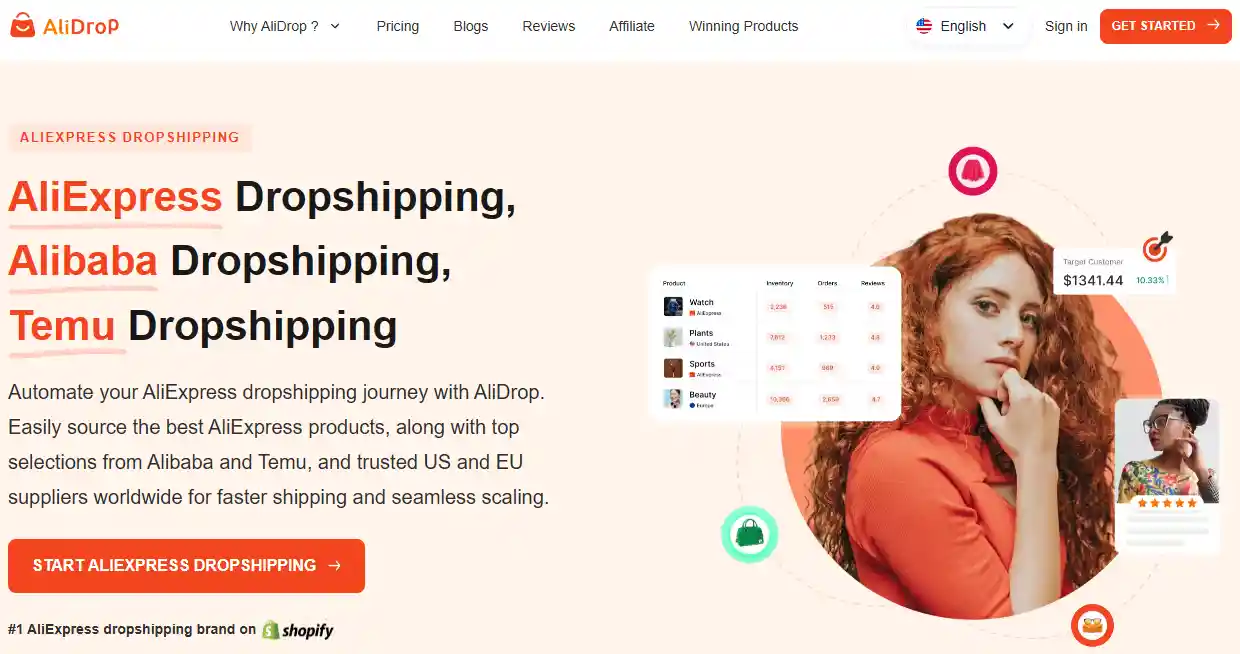
If you haven’t already, head to the Shopify App Store and search for AliDrop. Hit install. It’s going to ask you a few onboarding questions: what niche you’re selling in, which market you’re targeting, and your payment method. The payment part is just to keep your account active after the trial, but the trial itself doesn’t require a credit card. You can start importing products immediately without spending a dime.
Once you’re in, the first thing to do is make sure your Shopify store is connected properly. In the AliDrop dashboard, under settings, there’s a “Sales Channels” or “Stores” tab. Your store should already be linked if you installed through Shopify, but double-check. If you plan on running multiple stores later, this is where you’d add them. For now, one is plenty.
Take five minutes to explore. Click around. The dashboard has a few main sections: AliExpress products, Winning Products, US/EU Products, Import List, Live Products, Live Orders, and Settings. Don’t worry about mastering all of it now. We’ll hit each part as we go.
Step 2: Build a Clean Store with the AI Store Builder
You could spend a weekend wrestling with Shopify’s theme editor. Or you could let the AI Shopify store builder do the heavy lifting in under an hour. This thing generates a complete storefront based on your niche. It picks a theme, sets up collections, creates pages, and even pre-loads placeholder products you can swap out later.
Go to the AI Store Builder tab inside AliDrop. Tell it your niche—say, pet accessories or home office gadgets—and let it run. It’ll spit out a store that looks finished. Not perfect, but finished. You’ll still need to tweak the branding: upload your logo, pick a color scheme, write a short About page that actually sounds human. But the skeleton is there, and it doesn’t look like every other default Dawn theme on the internet.
The growl test applies here: if a caveman landed on your homepage, could they grunt what you sell and how to buy it? If not, simplify. Remove clutter. Your first store doesn’t need a blog, a complicated menu, or fifteen collections. One hero product or a small curated collection is enough to start.
Step 3: Find a Product That Actually Has a Shot
Now the fun part. You need something to sell. Do not scroll AliExpress randomly hoping for inspiration. Use the AliExpress dropshipping tab inside Alidrop. These are products handpicked by their team—not random junk. Each listing shows the supplier cost, suggested retail price, and profit margin right on the card. You instantly see that a desk lamp costs you $14 and you can sell it for $39. That’s the kind of math you want.
If you want even less risk, jump to the Winning Products tab. These items have high order volume, solid ratings, and low shipping costs. They’re already proving themselves across other stores. Pick one that fits your niche.
Here’s a quick filter to run in your head:
- Can I sell it for at least 3x the supplier cost?
- Does it solve a problem or spark curiosity in under two seconds?
- Is it small and easy to ship (fits in a shoebox)?
- Does the supplier have decent ratings and reasonable shipping times?
If it checks those boxes, add it to your Import List. Don’t overthink this. You’re not marrying the product. You’re testing it. If it flops, you swap it out. Paralysis here is the real killer.
Step 4: Import and Polish Your Product Listing
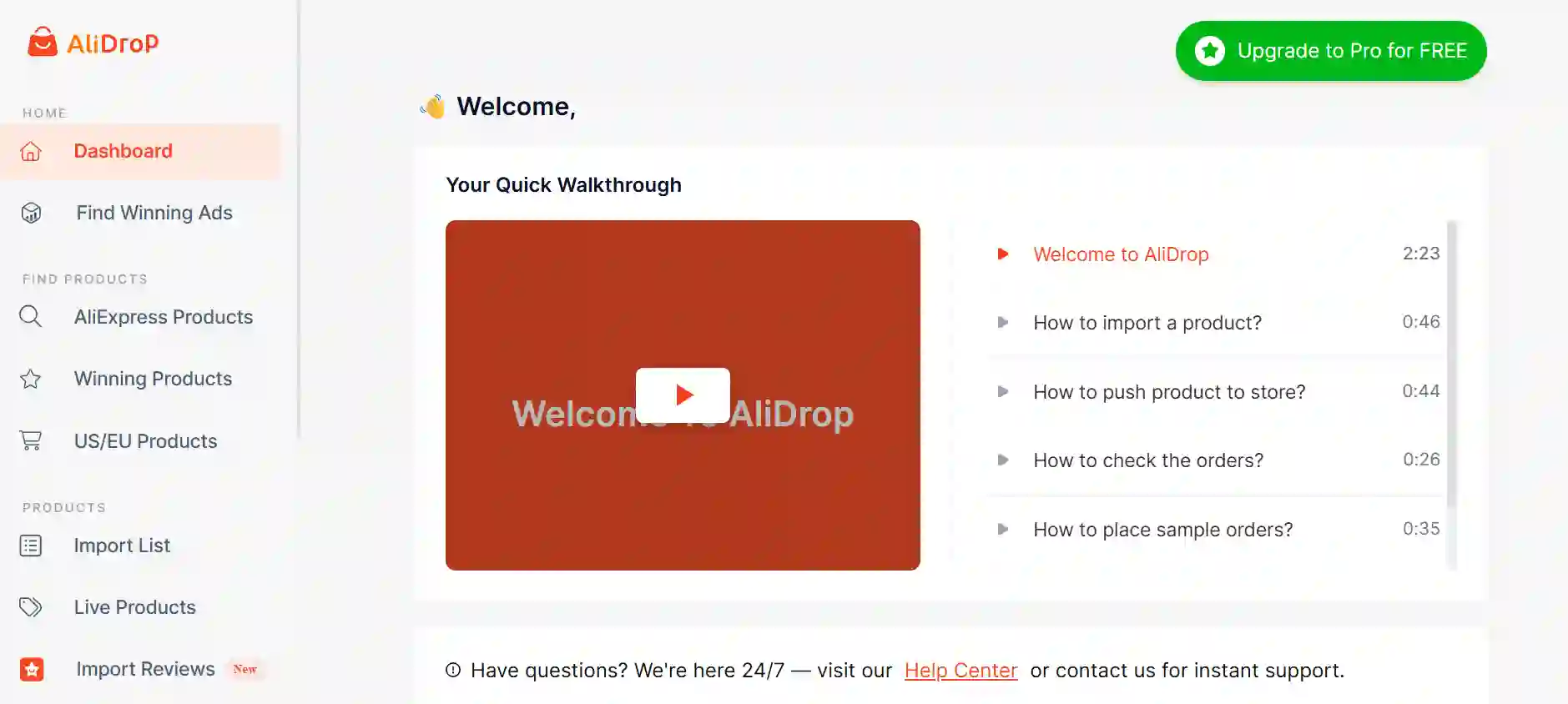
Open your Import List. You’ll see the product you just added. Before you push it to your store, do a quick cleanup.
First, the title. AliExpress titles are keyword soup. “2026 New Fashion Women Dress Casual Summer Beach Party Boho Floral Print Loose Fit M L XL” means nothing to a human. Rewrite it to something clean: “Boho Floral Summer Dress – Lightweight, Relaxed Fit.” Simple. Searchable. Not robotic.
Second, the description. This is where the AI product description writer earns its keep. Feed it the supplier’s raw description, and it’ll spit out a draft that reads like a person wrote it. You still need to edit. Add specifics: fabric feel, sizing notes, washing instructions. Mention who this product is for. Write like you’re texting a friend about something you just bought.
Third, the images. Delete any supplier photos with watermarks or size charts mixed in. Keep the clean lifestyle shots. If the product has variants (colors, sizes), make sure the labels make sense. No cryptic “A1” codes. Label them “Red,” “Blue,” etc.
Once you’re happy, hit “Push to Store.” The product goes live on your Shopify store. Go to your Shopify admin, open the product, and do a final check. View it on your actual storefront. If something looks off, fix it now.
Step 5: Set Pricing Rules and Inventory Automation
You don’t want to manually price every product. That’s a time-suck and you’ll mess it up eventually. Go to AliDrop Settings > Pricing Rules. Set a formula that applies automatically to every new import. Example: multiply cost by 3 and round to .99. So a $12 product becomes $35.99. You can also set compare-at prices if you want that “was $60, now $39” look.
You can create different rules for different cost ranges. Products under $10? Multiply by 3.5. Products $10–$30? Multiply by 3. Over $30? Multiply by 2.5. This keeps cheap items profitable without overpricing expensive ones.
Next, inventory automation. In the same settings area, decide what happens when a product goes out of stock. Set it to “set quantity to zero” or “set to draft.” This prevents overselling. AliDrop checks supplier inventory regularly and updates your store automatically. You sleep, it works.
If you want faster shipping for certain products, check out the US and EU suppliers tab. Sourcing from domestic warehouses cuts delivery from weeks to days. That means fewer “where’s my order?” emails and happier customers. You can mix suppliers: some products from AliExpress, others from US warehouses, all managed in one dashboard.
Step 6: Understand How Orders Will Flow
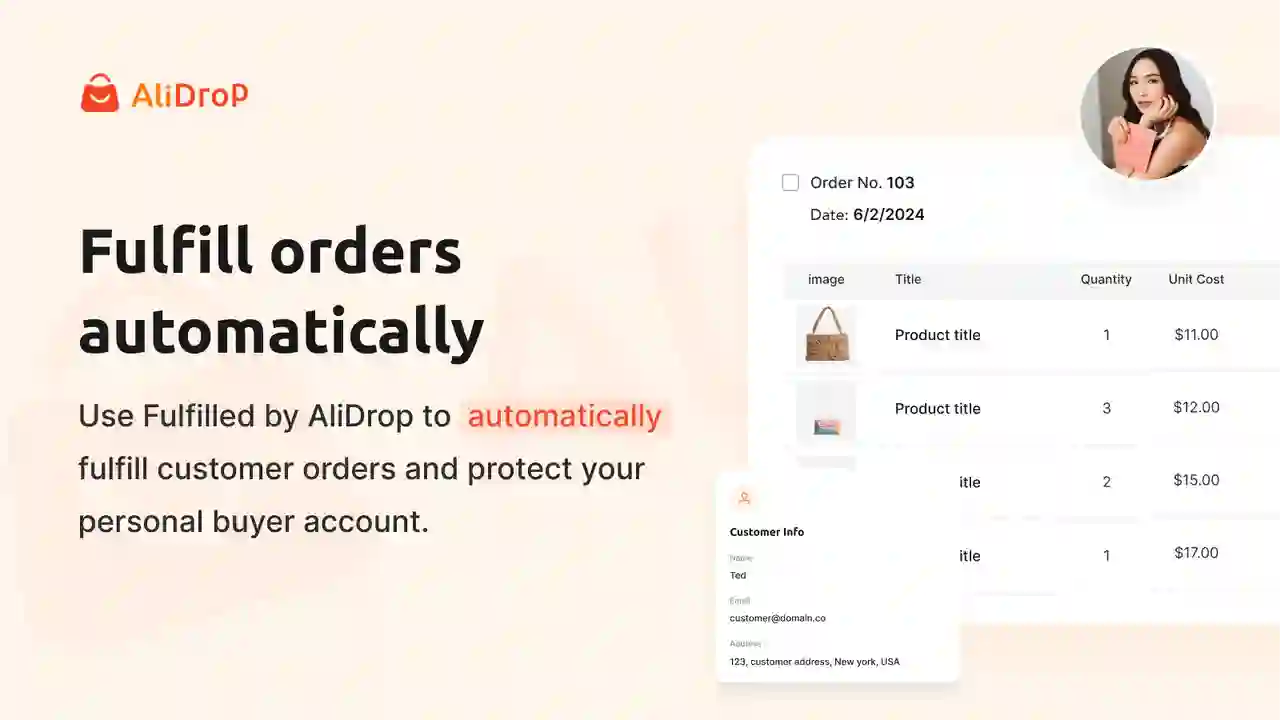
Before you make a sale, know what happens when you do. A customer buys a product on your store. AliDrop gets the order instantly. It forwards the order to the supplier automatically—no copying addresses, no manual entry. The supplier ships the item. AliDrop pulls the tracking number and pushes it back to Shopify. The customer gets notified. You don’t touch anything.
The Live Orders tab is where you can watch this happen. It shows every order, the fulfillment status, the tracking number, and the customer’s details. If something goes wrong—a supplier runs late, stock runs out—you’ll see it here and can jump in. But for the most part, it runs on autopilot.
This is the part that saves you hours. The difference between a store that scales and one that collapses at thirty orders a day is automation. You’re setting it up from day one, so you never feel the pain of manual fulfillment.
Step 7: Launch, Market, and Make That First Sale
Your store is live. The product is imported. Pricing is set. Automation is on. Now you need a customer.
You don’t need a big ad budget to get your first sale. Start with organic content. Film a 15-second video of your product on your phone. Show it in use. Use a trending sound. Post it on TikTok and Instagram Reels. Put your store link in your bio. Do this every day. Most videos will flop. One will catch. That’s all it takes.
If you want to speed it up, run a small Facebook or TikTok ad. Five to ten dollars a day. Target a broad interest related to your product. Use a simple hook: “I didn’t think this would work, but…” and show the product solving a problem. If the ad doesn’t convert after a few days, don’t panic. Check the data. Low click-through rate? Fix the thumbnail. High add-to-cart but no purchase? Check your shipping costs or trust signals.
AliDrop handles the back end. You handle the front end: content, ads, customer messages. That’s the split. The faster you get comfortable with it, the faster that first sale hits.
A Quick Note on Plans and Scaling
Your first sale will probably come while you’re still on the free trial. That’s a good sign. Once you’re making consistent sales, you’ll want to pick a plan that fits. The Starter plan ($39/month) gives you 50 unique products. Professional ($59/month) bumps that to 500 and includes premium products. Empire ($99/month) adds winning products, a product analyzer, and VIP support. Unicorn ($299/month) is unlimited.
If you’re just starting, the Starter or Professional plan is plenty. You can always upgrade. The key is to get that first sale on the board. Everything else is scaling a system that’s already working.
Conclusion
Your first sale is a milestone, not a finish line. But getting there means you’ve done the hard part: you’ve built a real store, sourced a real product, and convinced a stranger to give you money. That’s the foundation. From here, you tweak, you test, you grow. The checklist doesn’t change much—you just run it faster each time. And AliDrop handles the heavy lifting so you can keep your eyes on the next sale.
AliDrop is ready when you are. Grab the free trial, follow these seven steps, and make today the day you stop planning and start selling.
AliDrop Onboarding Checklist: 7 Steps to Your First Sale FAQs
How long does it take to make the first sale with AliDrop?
There’s no fixed number. Some stores hit a sale within 48 hours of posting a TikTok. Others take a week or two of testing ads and tweaking the product page. Following this checklist gets your foundation right so you’re not fighting broken processes.
Do I need a credit card to start the AliDrop free trial?
No. The trial doesn’t require a credit card. You can install the app, import products, and test the entire workflow without entering payment details. The trial lasts 7 days, after which you pick a plan if you want to continue.
Can I use AliDrop if I don’t have a Shopify store yet?
You need a Shopify store to install the app. Shopify offers a trial for $1 for the first month. You can set up your store there, then install AliDrop and follow this checklist.
What if the product I imported doesn’t sell?
Test another one. The Winning Products tab in AliDrop shows items already selling well. Use the Product Analyzer to find similar items with better margins or shipping. Don’t get attached—swap it and keep moving.
Does AliDrop automatically update tracking information?
Yes. When the supplier ships the order, AliDrop pulls the tracking number and pushes it to Shopify. The customer receives an automated notification. You can monitor everything in the Live Orders tab.
Can I source from US suppliers instead of AliExpress?
Yes. AliDrop has a US/EU Products tab that shows items shipping from domestic warehouses. Faster delivery means fewer complaints. You can mix suppliers across your product catalog without switching tools.


%201.svg)