

You finally set up your Shopify store. The theme looks decent. The logo is passable. Now you just need something to actually sell. But the moment you open AliExpress, you freeze. Thousands of products, no clue which ones will make you money, and the thought of manually copying descriptions and images makes you want to close the laptop and go watch Netflix.
Here’s the thing: There’s a tool that cuts the whole process down to a few clicks. You find products that already have solid margins, you edit them in one place, and you push them to your store without ever touching a CSV file. It’s called Alidrop, and if you’ve never used it, this guide walks you through importing your very first product—from installing the app to seeing it live on your storefront.
How to Import Your First AliExpress Product to Shopify with Alidrop?
We promised we’d guide you through the whole process. Here is how to use Alidrop to import your first AliExpress product to Shopify:
Step 1: Install Alidrop on Your Shopify Store
Open your Shopify admin. In the search bar at the top, type “apps” and click on it. Then search for “AliExpress dropshipping center.” That’s the old name but the app you want is Alidrop. Hit install. It’ll ask you to sign up. You create an account, pick your niche, choose the market you’re selling to, and set up your payment method. The payment part is just so you can access the full features after the trial, but you can start importing immediately without paying.
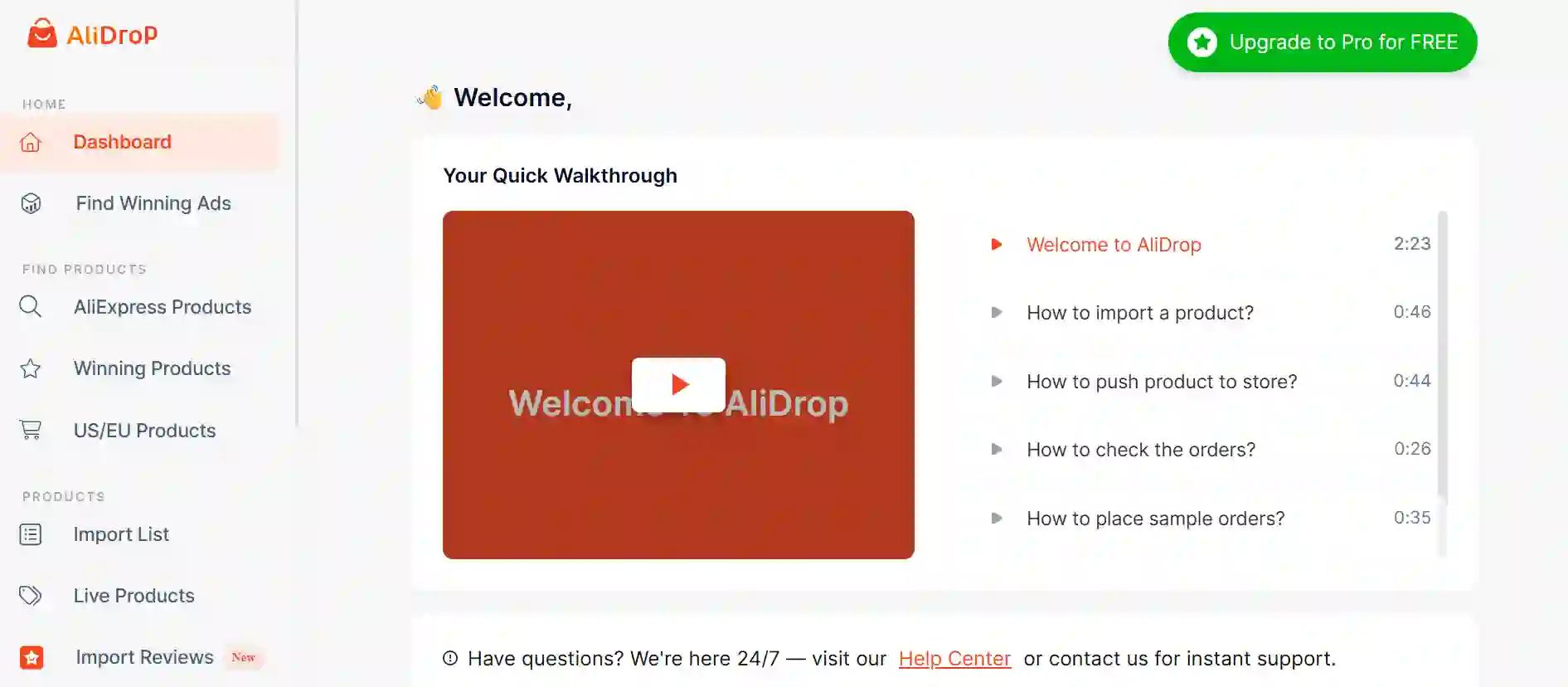
Once you’re in, the dashboard loads. There’s a bunch of walkthrough videos if you like that kind of thing, but you can skip them and jump straight into the “AliExpress products” tab. That’s where the magic starts.
Step 2: Find a Product That Won’t Waste Your Time
The “AliExpress products” tab shows a curated list. These are handpicked by the Alidrop team based on performance, supplier reliability, and margin potential.
You can search by keyword or filter by category. Let’s say you want to sell women’s clothing. Pick that category. The screen shows you a grid of products. Take a minute to scroll. Look at the photos, the order volume, the ratings.
If a product catches your eye, click it for more details. You’ll see the full description, the variants, the images. You can even see which supplier it comes from and their shipping time. Everything is right there.
If you want even more certainty, head over to the “Winning products” tab. These are the ones already crushing it across multiple stores. High order volume, low shipping costs, great ratings, and profit margins that give you room for ads. If you’re testing your first few offers, this tab is your safety net.
Let’s say you pick a dress. You like the photos, the margin is solid, and the supplier has good ratings. Click “Add to import list.” It’ll confirm it’s been added. Now you can keep browsing and add a few more, or jump straight to the import list and get that product live.
Step 3: The Import List: Your Staging Area
The import list is exactly what it sounds like. It’s a holding pen for products you’re interested in but haven’t pushed live yet. Think of it like a draft folder. You can add as many as you want without cluttering your store. Nothing goes live until you push it.
Do this:
- Click the import list button at the bottom (or wherever it is in your sidebar, depending on the version). You’ll see the dress you just added. If you have others, they’ll be there too.
- From here, you can do a few things before you make it live. You can edit the product title, the tags, assign it to a collection, tweak the description, remove or reorder images, and adjust the variants.
- You don’t have to do all this now—you can always edit later in Shopify—but a quick cleanup before pushing saves time. I like to at least write a decent title that doesn’t look like it was generated by a robot, and remove any images that are obviously supplier garbage (like watermarked or size chart images).
- Once you’re happy, click “Push to store.” If it’s your first time, Alidrop will ask you to connect your AliExpress account. This is just so it can pull tracking info and keep inventory synced later. Log in, authorize it, and then hit “Push to store” again.
That’s it. The product is now in your Shopify admin under Products. It’s live on your storefront if your store is published. You can click the little eye icon on the product page to view it and see how it looks. If something’s off, you edit it right there in Shopify.
Step 4: Clean Up the Product Listing in Shopify
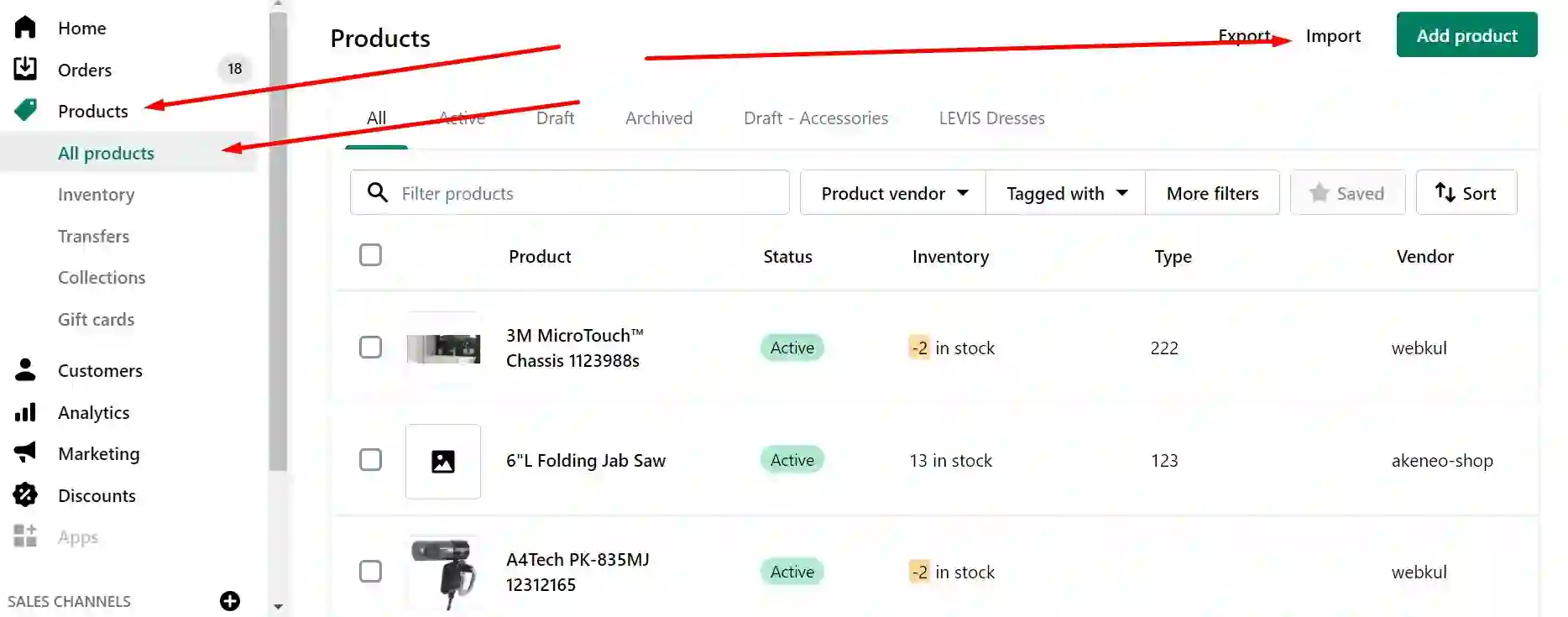
Alidrop imports the product with all the supplier’s details, which is convenient but not always presentable. Now do this:
- Open the product in Shopify. The description might have a bunch of extra images stuffed in it. Remove those - your product images are already in the media section.
- Clean up any weird formatting. Write a short, punchy description that sounds like a human talked about the item, not a keyword machine. Mention the material, the fit, the vibe.
- Check the variants. Make sure the sizes and colors are labeled clearly. If the supplier uses cryptic codes like “A1” instead of “Red,” fix it. This small stuff reduces returns later because people actually know what they’re ordering.
- Assign the product to a collection if you didn’t do that in Alidrop. “New Arrivals” or whatever fits your store. Add product tags if you plan to use them for filtering. Set the product status to Active if it isn’t already.
Your first product is now live and looks like it belongs in a real store. From here, you can import more products the same way, and Alidrop will keep them all synced with the supplier’s inventory so you don’t oversell.
What Else the Dashboard Can Do for You?
Now that you’ve imported your first product, you might be wondering what else this app does. A few things that’ll save you even more time.
1. AliDrop Product Analyzer: Find Better Variants of Any Product
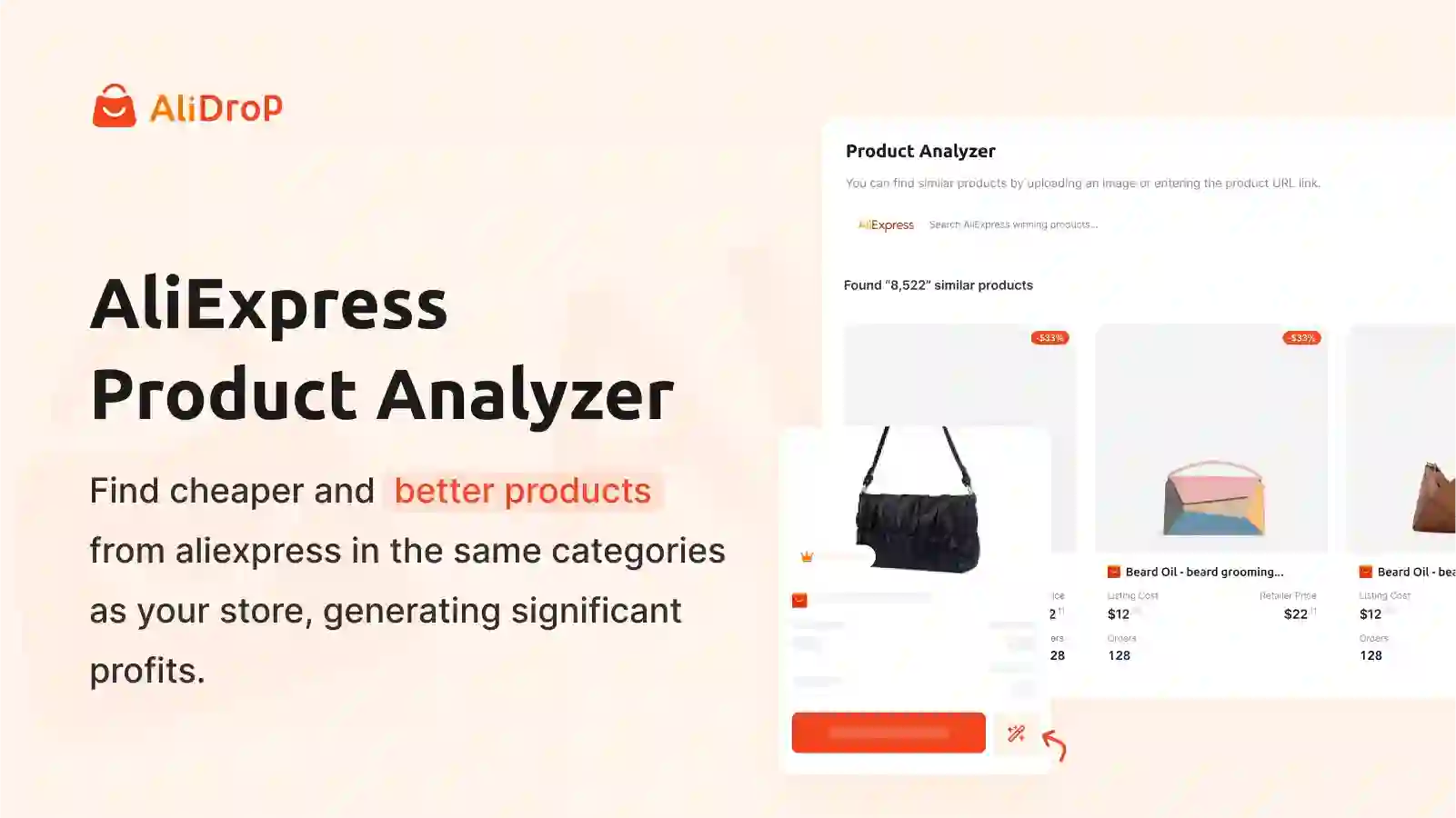
You found a product somewhere else—maybe a competitor’s store or a random AliExpress link—but the margins are weak or the shipping time is awful. Copy the product URL, go to the Product Analyzer tab, paste it in, and hit search. Alidrop’s AI scans for identical or similar products across AliExpress, often finding suppliers with faster shipping or better pricing. You can see the alternatives, compare margins, and add the best one to your import list. It’s like a cheat code for finding the same product but cheaper and faster. Saves hours of manual searching.
2. Pricing Rules: Set Your Markup Once, Forget About It
In the settings, there’s a pricing rules section. You can set a formula that automatically applies to every product you import. For example, multiply cost by 2.5 and round to .99. Then every new product you push to store already has the right price, no manual calculations. You can also set rules for compare-at prices if you want that “was $60, now $45” look. This is huge when you’re importing dozens of products.
3. Inventory Automation: Stop Selling Stuff That’s Out of Stock
Also in settings, you can choose what happens when a product or variant goes out of stock. The options: do nothing, set the product to draft, or set the quantity to zero. Setting it to zero is safest—customers can’t order it, you avoid refunds and angry emails. Alidrop checks supplier inventory regularly and updates your store accordingly, so you don’t have to babysit it.
4. US/EU Products: Faster Shipping for Specific Markets
If you’re targeting the US or Europe, there’s a tab called “US EU products” that lists items shipping from domestic warehouses. You’ll need to integrate Spocket for that (a separate app), but it’s an option if you want to reduce delivery times. Many dropshippers use a mix: test products cheaply via AliExpress, then switch to US/EU suppliers for the winners. Alidrop lets you manage both in one place.
5. Live Orders: Track Fulfillment Without the Spreadsheet
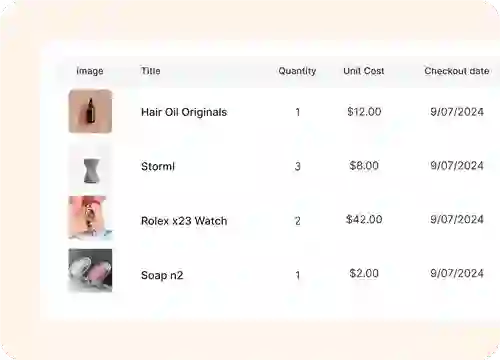
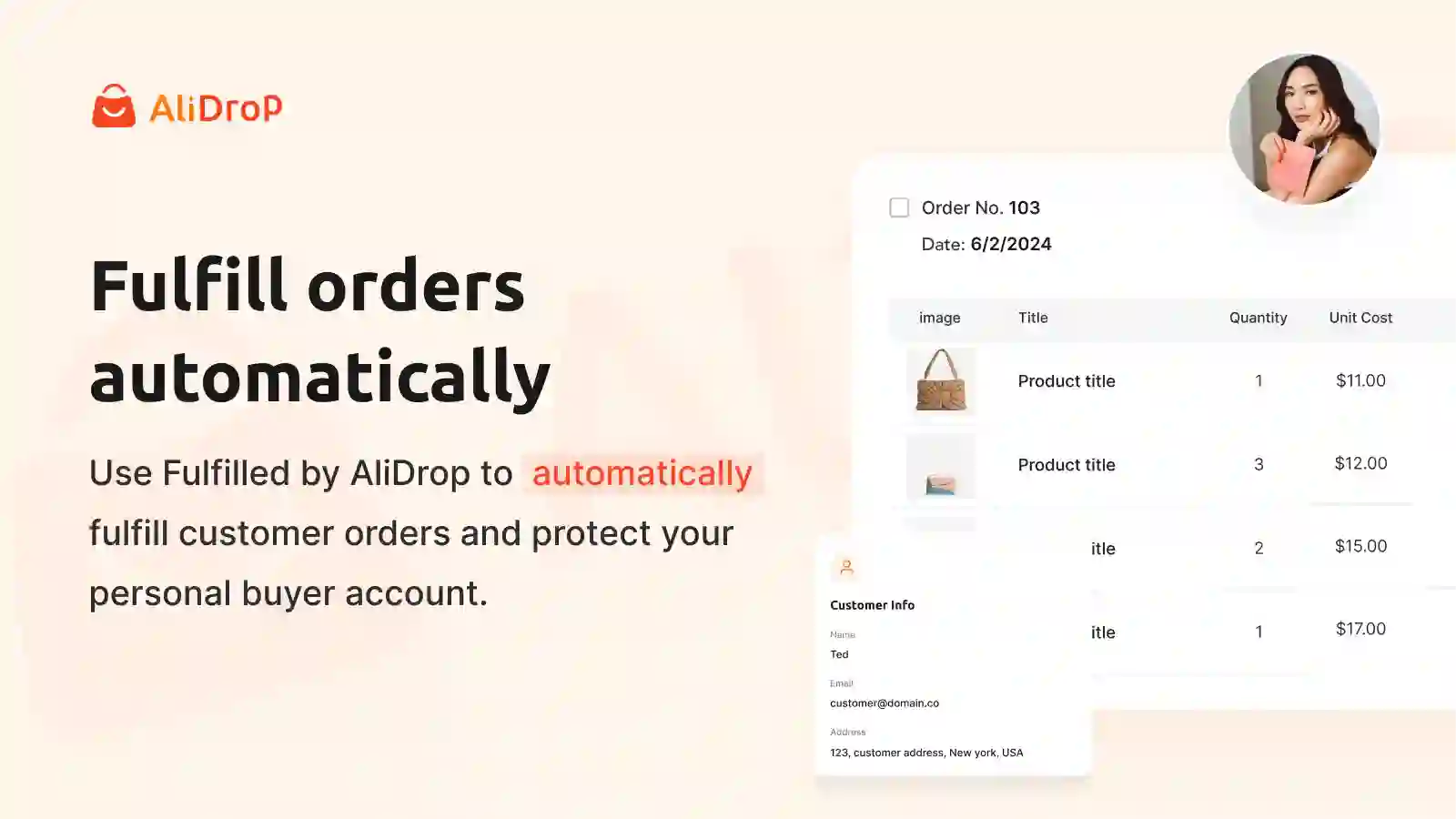
When orders start rolling in, they’ll appear in the “Live Orders” tab. You’ll see the order number, customer name, supplier, fulfillment status, items ordered, and total. If you’re on autopilot, Alidrop handles the fulfillment automatically. But you can still manually check if you’re old-school or just paranoid. It gives you full visibility.
Why Most Beginners Quit Before Ever Importing a Product?
A lot of people think dropshipping is “easy,” but they get stuck on the first step: what to sell and how to get it into the store. Here’s what happens:
- They stare at AliExpress, get overwhelmed, and give up. That’s why tools like Alidrop exist—they cut through the noise. Handpicked products, clear profit margins, one-click import, automated inventory. You don’t need to be a tech wizard. You just need to follow a process.
- You also don’t need to import a hundred products. Start with one. Get it looking good. Run some ads, post some TikToks. See if it sells. If it doesn’t, import another one. The barrier is low. The cost is basically the product sample and some time.
- Alidrop also has a 7-day free trial that lets you test everything without a credit card, so you can literally import a product, see how the workflow feels, and decide if it fits your style.
A Quick Note on Product Descriptions
One thing that’ll make your product page stand out is a description that actually sounds like a person wrote it. Most AliExpress descriptions are stuffed with keywords and read like a robot had a stroke. Alidrop imports the raw description, but you should rewrite it. Even if you’re not a writer, just type like you’re telling a friend about the item. The AI product description writer can generate a solid first draft you can tweak to match your voice. It’s not a must, but it saves time when you’re importing multiple products a week.
How to Make Your First Sale with Alidrop?
You’ve imported a product, cleaned up the listing, and set the price. Now you need traffic. That’s a whole other article, but the basics: organic short-form videos on TikTok and Reels, or a small budget on Facebook ads. Alidrop doesn’t handle marketing, but once you make a sale, it handles the fulfillment so you don’t spend your evenings copy-pasting addresses.
If you want to scale, you can use the “Winning products” tab to find your next hit and the Product Analyzer to sniff out better suppliers for items you’re already selling. That’s the loop: test, analyze, optimize, repeat.
Conclusion
Importing your first AliExpress product doesn’t have to be a weekend-long headache. Alidrop shrinks the process to about ten minutes. Install the app, browse the curated catalog, pick something with healthy margins, push it to your store, and tidy up the listing. Once that product is live, the automation handles inventory and order syncing. If you want to get that first product up today, head over to Alidrop and grab the free trial.
No credit card, no risk, just a faster way to fill your store with products that actually have a shot at selling.
How to Import Your First AliExpress Product to Shopify with Alidrop FAQs
Do I need a Shopify store before using Alidrop?
Yes. Alidrop is a Shopify app. You install it from the Shopify App Store directly into your existing store. If you don’t have a Shopify store yet, you can start a free trial on Shopify and then install Alidrop to begin importing products.
Can I import products without connecting my AliExpress account?
You can browse and add products to your import list, but to push them live and sync tracking, you need to connect an AliExpress account. It’s a quick OAuth login that gives Alidrop permission to pull product details and fulfill orders on your behalf.
Will Alidrop automatically update prices if the supplier changes them?
You can set pricing rules in the settings that define your markup formula. Alidrop will apply those rules to new imports. For existing products, you can manually reapply the rules or use the bulk update feature. Inventory changes are synced automatically, but price changes from the supplier may require your review.
What if I find a product with low margins on Alidrop?
Use the Product Analyzer. Paste the product URL into the analyzer, and Alidrop will find similar products from other suppliers, often with better margins, faster shipping, or higher ratings. You can then add the improved version to your import list.
How many products can I import with the free plan?
The free trial gives you access to the Starter plan, which includes 50 unique products and 25 premium products. That’s plenty to test a niche and get your first sales without paying a cent.
Does Alidrop handle order fulfillment automatically?
Yes. Once orders start coming in, Alidrop forwards them to the supplier and syncs tracking numbers back to Shopify. You can monitor everything in the Live Orders tab, but the heavy lifting is automated. You can also set inventory rules to avoid overselling.


%201.svg)