

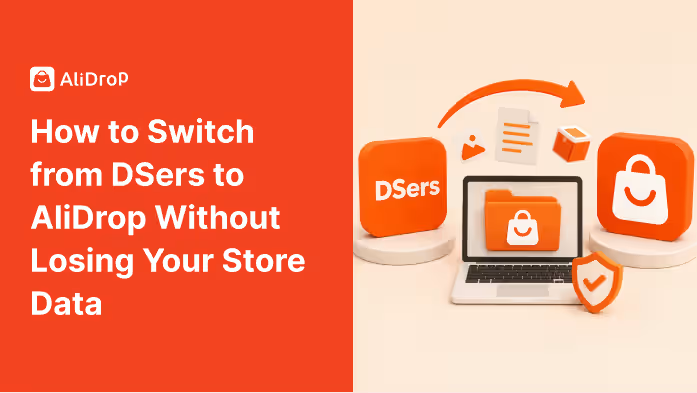
Switching dropshipping apps can feel risky, especially when your store already has products, orders, customers, supplier links, product descriptions, pricing rules, and fulfillment workflows in place. If you are using DSers and want to move to AliDrop, the biggest concern is usually simple: “Will I lose my store data?”
The good news is that most of your core store data lives inside Shopify, not inside DSers alone. Your products, customer records, order history, collections, pages, theme, discounts, and analytics are usually stored in your Shopify admin. However, app-specific data such as supplier mapping, fulfillment settings, product connections, variant links, and automation rules may need careful handling before you uninstall or disconnect anything.
That is why switching from DSers to AliDrop should not be done in a rush. The safest approach is to audit your current setup, export important data, document supplier relationships, install AliDrop, reconnect products carefully, and test fulfillment before removing DSers completely.
This guide explains how to switch from DSers to AliDrop without losing your store data, breaking product pages, disrupting orders, or confusing customers.
Why Store Owners Switch from DSers to AliDrop
Many dropshipping sellers start with DSers because it is widely used for AliExpress dropshipping and offers features like bulk ordering, product mapping, supplier optimization, and Shopify integration. For many merchants, it works well as an order management and AliExpress fulfillment tool.
However, as a store grows, sellers often look for a platform that better fits their next stage. They may want a more streamlined dashboard, easier product importing, supplier access beyond basic AliExpress sourcing, faster product discovery, or better support for scaling their Shopify dropshipping workflow.
AliDrop is built around AliExpress dropshipping automation, product sourcing, order fulfillment, inventory syncing, and Shopify integration. It also positions itself around access to AliExpress products, Alibaba, Temu, and trusted US/EU suppliers, which can help sellers looking for more sourcing flexibility.
You may consider switching from DSers to AliDrop if you want:
- A fresh AliExpress dropshipping workflow
- Easier product importing
- More supplier options
- Automated fulfillment support
- Shopify integration
- Inventory syncing
- Product discovery tools
- A simpler setup for scaling
- Access to US/EU supplier options
The goal is not just to replace one app with another. The goal is to move your store operations into a system that supports your product sourcing, fulfillment, and growth strategy more clearly.
What Store Data You Need to Protect Before Switching
Before changing apps, it is important to understand which data matters most. Some information is stored in Shopify, while other details may be connected to DSers or your AliExpress supplier setup.
Your Shopify data usually includes products, product descriptions, images, prices, variants, collections, customer records, orders, pages, navigation, discounts, and theme settings. This data should remain in Shopify unless you manually delete it.
The data that needs extra attention is usually app-specific. This includes supplier mapping, AliExpress product links, fulfillment rules, shipping settings, variant connections, pricing rules, order syncing, and automation preferences.
Before switching, make sure you protect:
- Product titles and descriptions
- Product images and variants
- SKUs and pricing
- Supplier links
- AliExpress product URLs
- Variant mapping
- Shipping methods
- Order history
- Tracking details
- Customer records
- Fulfillment status
- Pricing rules
- Inventory settings
- Product tags and collections
- Store theme and navigation
The most important rule is simple: do not uninstall DSers before you have backed up or documented the information you may need later. Once app-specific connections are removed, rebuilding them can take more time.
How to Switch from DSers to AliDrop Without Losing Store Data
Moving from one dropshipping app to another should be handled carefully, especially if your store already has active products, supplier links, pending orders, pricing rules, and customer data.
The safest way to migrate from DSers to AliDrop is to follow a step-by-step process instead of uninstalling one app and setting up the other in a rush.
Step One: Audit Your Current DSers Setup
Start by reviewing how your store currently uses DSers. This helps you understand what needs to be recreated in AliDrop.
Go through your active products and identify which ones are connected to AliExpress suppliers through DSers. Check which products are currently selling, which suppliers are being used, and whether any products have backup suppliers mapped.
Pay attention to your bestsellers first. These products should be migrated carefully because they are most likely to affect your revenue if something breaks.
During your audit, document:
- Active products connected to DSers
- Bestselling products
- Supplier links
- Backup supplier links
- Product variants
- Shipping methods
- Pricing rules
- Fulfillment settings
- Orders waiting to be processed
- Products with stock issues
- Products with custom descriptions
This audit gives you a clear migration roadmap. Instead of trying to move everything at once, you can prioritize the products that matter most to your store.
Step Two: Export and Back Up Shopify Store Data
Before installing or removing any app, back up your Shopify data. This gives you a safety net if something changes unexpectedly.
You can export product data from Shopify as a CSV file. This export can include product titles, descriptions, images, prices, SKUs, variants, tags, and other product details. You should also export customer data and review your order history.
Even if you do not expect anything to go wrong, backups are important. They allow you to restore or reference details if product information changes during migration.
Back up the following:
- Product CSV
- Customer CSV
- Order records
- Product images
- Theme backup
- Important product descriptions
- Supplier links
- Pricing rules
- Shipping settings
- Current app settings screenshots
It is also helpful to take screenshots of your DSers dashboard, especially product mapping and supplier settings. Screenshots can save time if you need to recreate connections manually inside AliDrop.
Step Three: Finish or Pause Pending Orders
Before switching from DSers to AliDrop, check whether you have pending orders waiting to be fulfilled. Do not start migration while orders are stuck between systems.
If there are open orders in DSers, decide whether you will fulfill them through DSers before switching or manually track them during the migration. The safest option is usually to finish existing DSers orders first, especially if they are already connected to supplier processing.
Check:
- Unfulfilled orders
- Orders waiting for payment
- Orders awaiting supplier confirmation
- Orders with missing tracking
- Orders with customer complaints
- Orders connected to unavailable products
Once these orders are processed, record their tracking numbers and fulfillment status in Shopify. This helps prevent confusion later.
If you cannot finish all orders before switching, create a separate tracking sheet. Include the order number, customer name, product, supplier, order status, tracking number, and fulfillment method.
Step Four: Install and Set Up AliDrop
After your backup and order review are complete, you can install and set up AliDrop. Connect it to your Shopify store and review the onboarding steps carefully.
During setup, check your store connection, product import settings, fulfillment options, pricing rules, inventory syncing, and supplier preferences. The goal is to make sure AliDrop is ready before you start moving important products.
Do not rush this stage. Migration problems often happen when sellers connect a new app but do not fully configure it before using it for live products.
Review these settings inside AliDrop:
- Shopify store connection
- Product import settings
- Order fulfillment settings
- Inventory sync preferences
- Pricing rules
- Shipping options
- Supplier preferences
- Tracking update settings
- Product editing workflow
AliDrop supports product importing, order automation, Shopify integration, and inventory syncing, so make sure these settings match how your store currently operates.
Step Five: Reconnect Products Carefully
This is the most important part of the migration. Your Shopify products may still exist, but AliDrop needs to understand which supplier products and variants connect to each listing.
Start with a small group of products instead of reconnecting your entire catalog at once. Choose a few low-risk products first, then move to your bestsellers once you understand the process.
For each product, check:
- Product title
- Product URL
- Variant options
- SKUs
- Supplier product link
- Shipping method
- Product cost
- Retail price
- Inventory status
- Fulfillment rules
Variant mapping is especially important. If your product has different sizes, colors, bundles, or styles, make sure each Shopify variant connects to the correct supplier variant. Incorrect mapping can cause customers to receive the wrong product.
If a product no longer has a reliable supplier, do not migrate it blindly. Use AliDrop to find a better sourcing option before reconnecting it.
Step Six: Review Pricing, Margins, and Shipping
Switching apps is a good time to review your pricing and margins. Supplier costs, shipping fees, and delivery times may differ depending on the products and suppliers you choose in AliDrop.
Do not assume your old DSers pricing rules will automatically match your new AliDrop setup. Check each product carefully, especially your bestsellers.
Review:
- Product cost
- Shipping cost
- Total landed cost
- Retail price
- Profit margin
- Compare-at price
- Shipping timeline
- Free shipping rules
- Discount codes
- Bundle offers
If a product becomes more expensive after switching suppliers, adjust your pricing or find a better supplier. Protecting your margin is just as important as protecting your product data.
Step Seven: Test the New Fulfillment Workflow
Before relying on AliDrop for live customer orders, test the workflow. Place a test order or use a low-risk product to confirm that order syncing, fulfillment, tracking, and status updates work correctly.
A test helps you catch issues before they affect real customers. Check whether the order appears correctly, whether the product variant is accurate, whether the supplier details are correct, and whether tracking updates return to Shopify.
Test:
- Product import
- Variant mapping
- Order syncing
- Fulfillment process
- Tracking updates
- Inventory changes
- Customer notification flow
- Shipping method accuracy
If anything looks wrong, fix it before migrating more products. A controlled test can prevent bigger fulfillment problems later.
Step Eight: Keep DSers Until the Migration Is Stable
Do not uninstall DSers immediately after installing AliDrop. Keep it active until you confirm that your products, orders, mapping, and fulfillment are working properly in AliDrop.
This overlap period gives you a backup if you need to check supplier links, review old mappings, or handle orders that were created before the switch.
Keep DSers until:
- Existing orders are fulfilled
- Tracking numbers are updated
- Bestselling products are mapped in AliDrop
- New test orders work correctly
- Supplier links are documented
- Product prices and variants are checked
- Inventory syncing is stable
Once you are confident that AliDrop is handling your workflow correctly, you can remove DSers if you no longer need it.
Mistakes to Avoid When Switching from DSers to AliDrop
A smooth migration is mostly about avoiding rushed decisions. Many store owners run into problems because they uninstall the old app too early or fail to document important settings.
Avoid these mistakes:
- Uninstalling DSers before backing up data
- Forgetting to export product CSV files
- Not documenting supplier links
- Ignoring variant mapping
- Switching during a busy sales period
- Migrating bestsellers without testing first
- Forgetting pending orders
- Not checking shipping settings
- Assuming pricing rules will transfer automatically
- Failing to test order fulfillment
The biggest mistake is assuming that all app data will move automatically. Shopify keeps your main store data, but app-specific settings may need manual review.
How AliDrop Helps After the Switch
AliDrop can help simplify your AliExpress dropshipping workflow after migration. It supports product sourcing, product importing, order automation, inventory syncing, and Shopify integration.
Once your store is connected, you can use AliDrop to find products, import listings, manage supplier relationships, and automate fulfillment tasks. This can reduce manual work and make it easier to scale your store.
AliDrop can help with:
- Finding AliExpress products
- Importing products to your store
- Automating order fulfillment
- Syncing inventory
- Connecting with Shopify
- Managing supplier options
- Supporting faster supplier discovery
- Exploring US/EU supplier choices
For sellers moving away from DSers, AliDrop can become the new system for managing product sourcing and fulfillment. The key is setting it up carefully so your existing store data stays protected.
Final Migration Checklist
Before completing the switch, use this checklist to make sure nothing important is missed. Confirm that you have:
- Exported Shopify products
- Exported customer records
- Reviewed order history
- Documented DSers supplier links
- Saved product mapping screenshots
- Checked pending orders
- Installed AliDrop
- Connected your Shopify store
- Reviewed AliDrop settings
- Reconnected products carefully
- Checked variants and SKUs
- Reviewed pricing and margins
- Tested order fulfillment
- Confirmed tracking updates
- Kept DSers active during testing
- Removed DSers only after migration is stable
A careful migration may take longer, but it protects your business from unnecessary errors.
Conclusion
Switching from DSers to AliDrop does not have to mean losing your store data. Most of your core store information, including products, customers, orders, collections, and theme settings, stays inside Shopify. The part that needs careful attention is app-specific data such as supplier mapping, product connections, variant links, pricing rules, and fulfillment settings.
The safest way to migrate is to back up your store, document your DSers setup, finish pending orders, install AliDrop, reconnect products carefully, test fulfillment, and keep DSers active until the new workflow is stable.
AliDrop can help sellers manage AliExpress dropshipping through product importing, order automation, inventory syncing, and Shopify integration. With the right migration plan, you can switch tools without disrupting your store, losing important data, or damaging the customer experience.
FAQs about Switching from DSers to AliDrop
Can I switch from DSers to AliDrop without losing Shopify products?
Yes. Your Shopify products usually remain in your Shopify admin unless you manually delete them. However, supplier mapping and app-specific fulfillment settings may need to be recreated in AliDrop.
Should I uninstall DSers before installing AliDrop?
No. Install and set up AliDrop first. Keep DSers active until you have backed up your data, reviewed pending orders, documented supplier links, and tested AliDrop fulfillment.
What data should I back up before switching?
Back up product CSV files, customer records, order history, supplier links, product mapping screenshots, pricing rules, shipping settings, and theme details.
Will my old DSers supplier links move automatically to AliDrop?
Not always. Supplier links and product mapping may need to be reviewed or recreated manually. Always document your DSers setup before removing the app.
What is the safest way to migrate bestselling products?
Start with a small test group first. Once you confirm product mapping, variant accuracy, pricing, and fulfillment, move your bestselling products carefully.


%201.svg)


.avif)